Morse Machine
Convert text into Morse code using sound, flashing light, or vibration. Type a message, use voice input, or enter characters with the interactive keyboard.
Morse Light Signal
Press Play Light to flash dots and dashes for your message.
Morse Vibration Signal
Your supported device will vibrate dots and dashes for your message.
Morse Machine Keyboard
Select a character to add it to your message. The live preview updates immediately.
What is a Morse Machine?
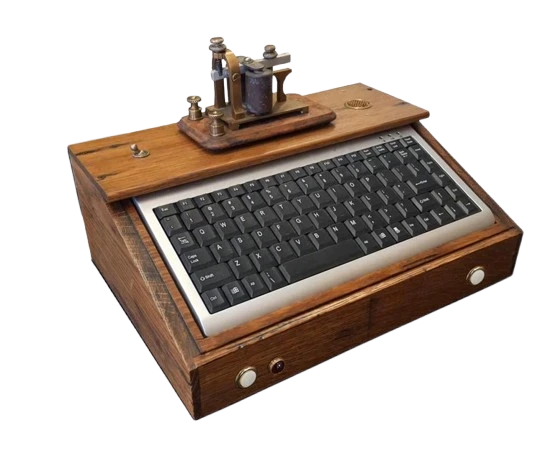
For practicing Morse code, the Morse code machine is the best tool. Hear the sounds, feel the vibrations, and watch the light flashes as you customize tone and speed. The Morse Code Machine was inspired by the modern Morse code training system used by amateur radio learners, agencies, and students. This tool helps you master Morse code in real time while saving you valuable time. Instead of memorizing dots and dashes, you train your ears to recognize Morse code faster and naturally.
How to use this Morse Machine
Our Morse machine tool is easy to use. Just type your text or use the mic button for voice input, and it will play Morse code instantly. If you want to view Morse code (dots and dashes), share your encoded message in the Morse Code Translator and save it as an audio file for later use.
Features and steps
Enter text or use Mic
Tap on the input box and type your text, or use the mic button for voice input.Play
After entering the input, tap the "Play" icon and listen to the Morse code.Light
Click the light button to play Morse code as flashing lights on the screen. (short flash = dot, long flash = dash).Vibrate
Press the vibration button to feel Morse code in vibrations (mobile only).Fast mic
This button transcribes speech in real-time.Keyboard
Press it to use the virtual keyboard (some browsers don't allow it).Stop
The stop button pauses all running output.Clear
Remove all entered text instantly.
Adjust Speed, Tone & Volume
Speed
Control Morse code speed (High or Low).Tone
Change sound pitch.Volume
Adjust the volume up or down
Why Use a Morse Machine for Morse Code Practice?
Using a Morse Code Machine is one of the best ways to learn and practice Morse code. Instead of just looking at the dots and dashes, you can learn Morse code by listening to its sounds as they happen. You can also practice Morse code by seeing light flashes or feeling vibrations. If you are rehearsing Morse code with a Morse machine, it improves listening skills, builds speed and accuracy, and trains real communication proficiency.
Frequently Asked Questions
What is this Morse Machine, and how does it work?
The Morse Machine produces Morse code sound according to your input text. You enter text or use the microphone, and it produces immediate Morse code audio to help enhance your listening and recognition abilities.
Can I practice Morse code by listening only?
Yes — practicing listening morse code is among the most effective methods for learning Morse. Concentrate on audio listening instead of visual signals to develop genuine understanding skills.
Do I need an account to use the Morse Machine?
No — the tool works instantly in your browser without any login or installation.
Can I save or share the audio?
Yes — you can download or share the generated Morse audio in morse code translator and decode this Morse audio in Morse code audio decoder.
Is this tool suitable for beginners?
Yes - it’s also used by beginners, students, and amateur radio learners with adjustable speed, tone, volume, and easy controls.